
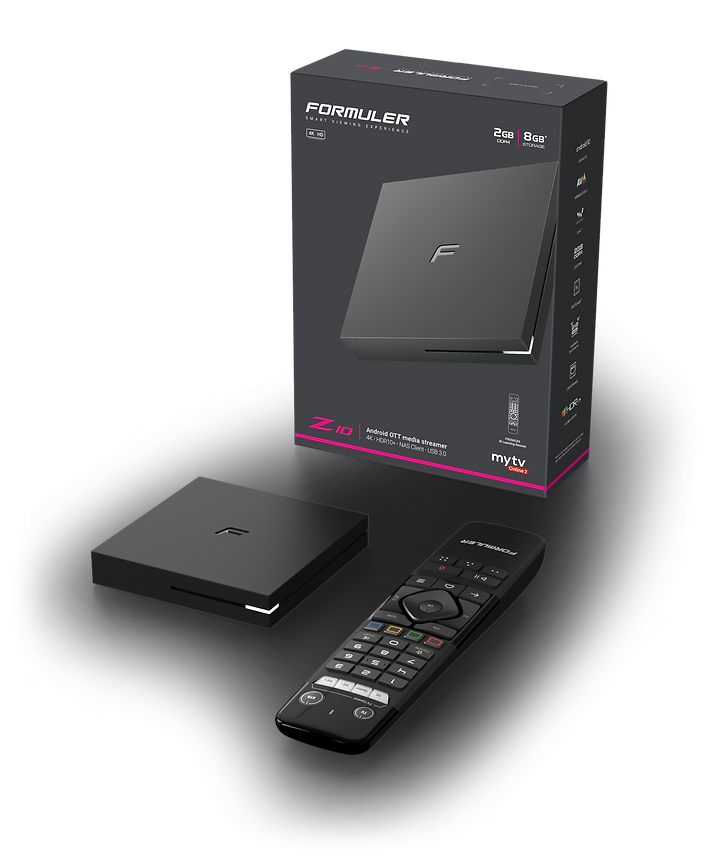
Formuler Z10 Firmware Installation and Updates

Formuler Z10 Firmware Installation and Updates: A Comprehensive Guide
we will explore the world of Formuler Z10 firmware installation and updates. Whether you are a tech-savvy enthusiast or a beginner, we've got you covered with a step-by-step guide to help you make the most out of your device. From the basics of firmware installation to the benefits of keeping your device up to date, we will delve into everything you need to know. So, grab your remote and let's dive in!
Understanding Formuler Z10 Firmware
Before we jump into the installation and updates, let's first understand what firmware is and why it is important for your Formuler Z10. Firmware refers to the software that is embedded in electronic devices to control their functionality. It acts as the operating system of your device, enabling it to perform various tasks and providing necessary instructions for hardware components. In the case of Formuler Z10, firmware determines the user interface, multimedia capabilities, and overall performance of the device.
The Basics of Formuler Z10 Firmware Installation Opening lines: To get started with firmware installation on your Formuler Z10, you need to follow a few simple steps. Here's a quick overview of the process:
- Checking for Updates: Explaining how to check for firmware updates directly on the device or through the Formuler website.
- Downloading the Firmware: Guiding users on downloading the latest firmware package from the official Formuler website.
- Transferring the Firmware: Explaining the process of transferring the downloaded firmware file to a USB drive for installation on the device.
- Installing the Firmware: Step-by-step instructions on how to initiate the firmware installation process on the Formuler Z10.
- Verifying the Installation: Providing guidance on how to confirm that the firmware installation was successful.
Benefits of Keeping Your Formuler Z10 Updated Opening lines: Regular firmware updates offer several advantages that can significantly improve your Formuler Z10 experience. Let's explore some key benefits:
- Performance Enhancements: Discussing how firmware updates often include optimizations and bug fixes to enhance the device's performance and stability.
- New Features and Functionality: Highlighting how firmware updates can introduce new features, user interface improvements, and additional capabilities to your Formuler Z10.
- Security Patches: Emphasizing the importance of firmware updates in addressing security vulnerabilities and protecting your device from potential threats.
- Compatibility with Latest Content: Explaining how staying up to date with firmware ensures compatibility with the latest streaming services, apps, and content formats.
- Future-Proofing Your Device: Discussing how regular updates can extend the lifespan of your Formuler Z10 by keeping it compatible with evolving technologies and standards.
Formuler Z10 firmware installation and updates play a crucial role in optimizing the performance and functionality of your media streaming device. By following the step-by-step installation process, you can unlock new features, improve performance, and ensure compatibility with the latest streaming services. Regularly updating the firmware also provides security patches, future-proofs your device, and enhances the overall user experience. Remember to stay informed about the latest firmware developments and explore advanced customization options to make the most out of your Formuler Z10.
FAQs:
How often should I update the firmware on my Formuler Z10?
It is recommended to check for firmware updates regularly and install them whenever they become available. This ensures you have the latest enhancements, bug fixes, and security patches for your device.
Can I install the firmware update on my Formuler Z10 without a USB drive?
No, you need a USB drive to transfer and install the firmware update on your Formuler Z10. Make sure the USB drive is formatted correctly and has sufficient storage capacity.
Will updating the firmware erase my data on the Formuler Z10?
No, updating the firmware should not erase your data. However, it's always a good practice to back up your important files and settings before initiating the firmware installation process.
How can I revert to the previous firmware version if I encounter issues with the latest update?
If you experience problems with the latest firmware update, you can check the Formuler website for previous firmware versions and instructions on how to revert to a previous version.
Can I install custom firmware on my Formuler Z10?
While it is possible to install custom firmware on some devices, it is not recommended for the Formuler Z10. Custom firmware installation can void the warranty and may lead to instability or compatibility issues.

Related Products
- 0 Comment(s)




Recent Posts




