

Formuler Z10 Remote Control Manual

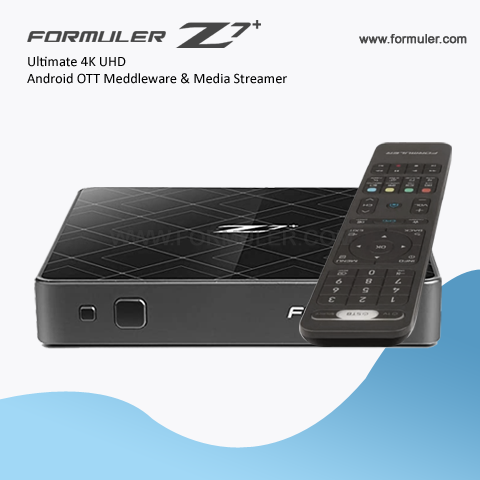
The Formuler Z10 is a popular IPTV set-top box that comes with a remote control for easy navigation and control of the device. In this manual, we will guide you through the various functions and features of the Formuler Z10 Remote Control.
- Power Button: The power button is located at the top of the remote control. Press this button to turn the Formuler Z10 on or off.
- Navigation Buttons: The remote control features a directional pad with up, down, left, and right buttons. Use these buttons to navigate through menus and select options.
- OK Button: The OK button is located at the center of the directional pad. Press this button to confirm your selections or to access additional options.
- Back Button: The back button is located just below the directional pad. Press this button to go back to the previous screen or exit from the current menu.
- Home Button: The home button is located near the bottom of the remote control. Press this button to go back to the home screen of the Formuler Z10.
- Volume Buttons: The volume buttons are located on the right side of the remote control. Use these buttons to adjust the volume level while watching content.
- Mute Button: The mute button is located below the volume buttons. Press this button to mute or unmute the audio.
- Channel Buttons: The channel up and channel down buttons are located on the left side of the remote control. Use these buttons to switch between channels.
- Numeric Keypad: The remote control also includes a numeric keypad for direct channel selection. Use these buttons to enter the channel number you want to watch.
- Media Control Buttons: The remote control features media control buttons for easy playback of content. These buttons include play/pause, stop, fast forward, and rewind.
- Settings Button: The settings button is located near the bottom of the remote control. Press this button to access the settings menu of the Formuler Z10.
- App Buttons: The remote control includes dedicated buttons for quick access to specific apps or functions. These buttons may vary depending on the version of the remote control.
The functions and layout of the Formuler Z10 Remote Control may vary slightly depending on the model and firmware version. Refer to the user manual provided with your device for more detailed instructions and specific information.
The Formuler Z10 Remote Control is designed to provide a user-friendly experience and easy control of the IPTV set-top box. Enjoy your entertainment with the Formuler Z10 and its convenient remote control.


Related Products
- 0 Comment(s)




Recent Posts




