

14 March, 2023
|
FAQ
What is the difference between Formuler Z10 and Z11?
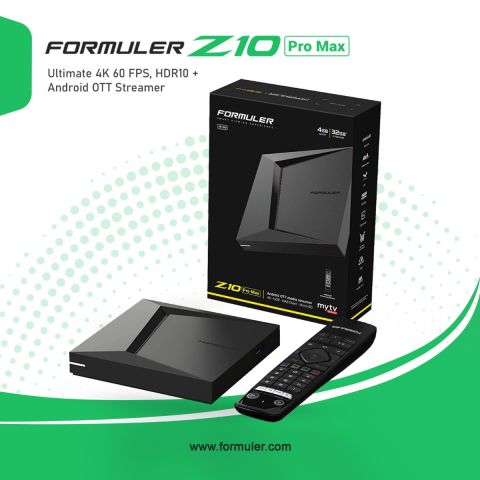
However, the Formuler Z11 Pro Max only supports HDR10, whereas the Formuler Z10 Pro Max supports a wider variety of HDR formats, such as HDR10+ and Dolby Vision. This suggests that for consumers who have a TV or panel that supports HDR10+ or Dolby Vision, the Formuler Z11 Pro Max might provide a little superior viewing experience.
What is the difference between Formuler Z11 Pro and Pro Max?
The Formuler Z11 Pro features 16 GB of internal storage, while the Formuler Z11 Pro Max has 32 GB of internal storage. This implies that you can install more apps and save more offline content on the Pro Max. For customers who intend to install numerous apps or watch numerous pieces of content offline, this is a crucial distinction.
How do I pair my Formuler remote to my box?
- By simultaneously clicking and holding the "OK" and "Menu" buttons (three vertical lines), you can put your Bluetooth device in discovery mode.
- Searching for a device to pair is available under Home > Settings > Remotes & Accessories.
- Go to the list of detected devices.
- Choose the device you want to associate with.
What is the Formuler Z11 Pro Max?
The Formuler Z11 Pro Max is an Android-based IPTV receiver that supports 4K HDR video and comes with a built-in dual-band Wi-Fi module. It is designed to provide a premium viewing experience for IPTV content.
What are the features of the Formuler Z11 Pro Max?
- The Formuler Z11 Pro Max comes with a powerful processor, 4GB of RAM, 32GB of storage, support for 4K Ultra HD video, and advanced features such as PVR recording, timeshifting, and electronic program guide (EPG).
How do I connect the Formuler Z11 Pro Max to my TV?
- You can connect the Formuler Z11 Pro Max to your TV using an HDMI cable. The set-top box also supports Wi-Fi and Ethernet connections for internet access.


Related Products
- CAD$229.99CAD$179.990 Comment(s)


Recent Posts




