
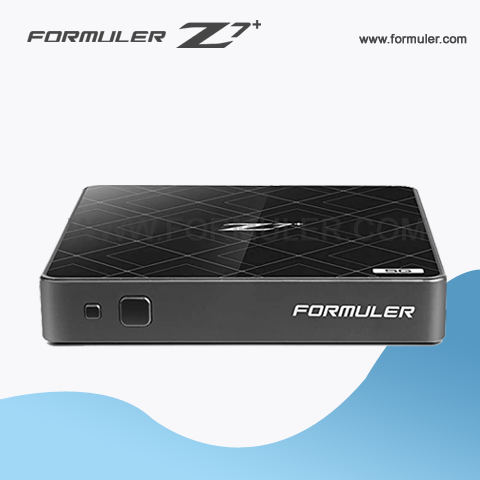
Formuler Z7 Plus server setup
Setting up a server on your Formuler Z7 Plus device can give you access to a range of features that can enhance your streaming experience. Here are some steps to follow to set up a server on your Formuler Z7 Plus
- Open the Mytvonline app on your Formuler Z7 Plus device.
- Click on the "Settings" option in the men.
- Select "General Settings".
- Scroll down and select "Server Settings".
- Select "Enable server".
- Choose the type of server you want to use. You can choose from FTP, HTTP, or SMB.
- Enter your login credentials if necessary.
- Select the folders you want to share and click "Save".
Once you have set up the server on your Formuler Z7 Plus device, you can access the shared folders from other devices on your network. To do this, you will need to enter the IP address of your Formuler Z7 Plus device followed by the folder name you want to access.
For example, if your Formuler Z7 Plus device has an IP address of 192.168.1.100 and you want to access a shared folder called "Movies", you would enter the following into your web browser:
You can also access shared folders using other apps or devices that support the protocol you have chosen, such as FTP or SMB.
Setting Up Your Formuler Z7 Plus Server
- Configure your firewall: If you have a firewall enabled on your network, you may need to configure it to allow traffic to and from your Formuler Z7 Plus device. Check your firewall settings and make any necessary changes to allow traffic on the ports used by your chosen server protocol.
- Organize your shared folders: Before setting up your server, consider how you want to organize your shared folders. You can create separate folders for different types of media, such as movies, TV shows, and music. You can also create subfolders within these categories to further organize your content.
- Use a reliable network connection: To ensure smooth streaming from your Formuler Z7 Plus server, it's important to use a reliable network connection. If possible, connect your device to your router using an Ethernet cable rather than relying on a wireless connection.
- Choose the right server protocol: Depending on your network setup and the devices you want to access your shared folders from, you may want to choose a different server protocol. FTP is a good choice for accessing files from a web browser, while SMB may be a better choice for accessing files from Windows computers.
- Keep your server software up to date: Finally, it's important to keep your server software up to date to ensure that you have the latest security patches and bug fixes. Check for updates regularly and install them as needed.
By following these steps, you can set up a Formuler Z7 Plus server that meets your streaming needs and provides fast and reliable access to your media collection.
Related Products
- Comment(s)




Recent Posts




