

How To Set Up The Formuler z7+ IPTV Box
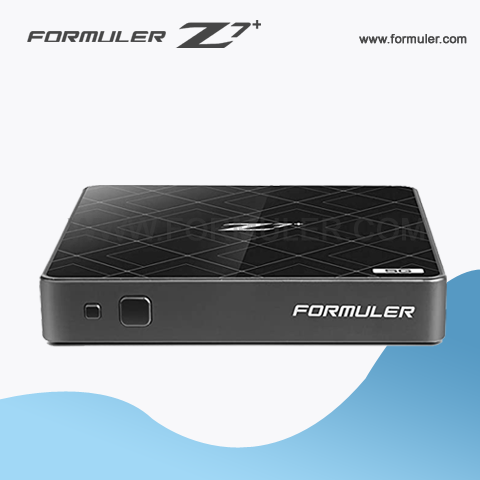
Additional Steps You Can Take To Set Up Your Formuler Z7+
- Connect the device to your TV: Plug the HDMI cable from your Formuler z7+ into an available HDMI port on your TV. If you have a newer TV, make sure to use an HDMI 2.0 cable for the best performance.
- Connect to the Internet: There are two ways to connect your Formuler z7+ to the Internet. You can either connect it directly to your router using an Ethernet cable or connect it wirelessly using the built-in Wi-Fi. To connect wirelessly, go to the Settings menu and select "Wi-Fi". Choose your Wi-Fi network from the list of available networks and enter the password if prompted.
- Set up your remote: The Formuler z7+ comes with a remote control that you can use to navigate through the menus. If you have trouble using the remote, you can download the MyTVOnline 2 app on your smartphone and use it as a remote control instead.
- Install apps: The Formuler z7+ comes with a few apps pre-installed, but you can also install your favorite apps from the Google Play Store. To access the Google Play Store, go to the Apps menu and select "Google Play Store". You can search for apps using the search bar or browse through the categories.
- Set up IPTV: If you want to watch IPTV on your Formuler z7+, you will need to set up an IPTV service. You can find many IPTV services online, but make sure to choose a reputable one. To set up your IPTV service, go to the Settings menu and select "My TV". Choose "IPTV" and enter the URL and login information provided by your IPTV service provider.
- Customize your settings: There are many settings you can customize on your Formuler z7+ to make it work the way you want. For example, you can change the screen resolution, adjust the audio settings, and set up parental controls. To access the settings, go to the Settings menu and select the option you want to change.
- Update the firmware: It's a good idea to check for firmware updates periodically to ensure your Formuler z7+ is running smoothly. To check for updates, go to the Settings menu and select "System". Choose "Update" and follow the on-screen instructions to install any available updates.
By following these steps, you can set up your Formuler z7+ and start enjoying all the features it has to offer.

Related Products
- Comment(s)




Recent Posts




