

Formuler Z7 Plus - Remote Control Replacement, Reset, and Battery Replacement

If you're in need of a replacement remote control for your Formuler Z7 Plus, or if you're experiencing issues with your current remote and need to reset it or replace the battery, we've got you covered.
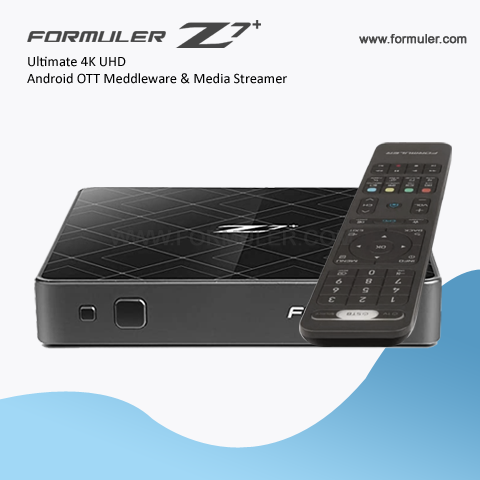
First, let's talk about replacement remote controls for the Formuler Z7 Plus. If you've lost or damaged your remote, or if it's simply stopped working, you'll need to purchase a new one. The best place to start is with the official Formuler website or with an authorized dealer. This ensures that you'll be getting a genuine Formuler remote that is guaranteed to work with your device. When purchasing a replacement remote, make sure to check that it's compatible with your specific model of Formuler Z7 Plus.
Now, let's talk about resetting your remote control. If you're experiencing issues with your remote, such as buttons not responding or the remote not connecting to your device, a reset may help. To reset your Formuler Z7 Plus remote control, follow these steps:
- Remove the batteries from the remote control
- Press and hold the power button on the remote for 10 seconds
- Reinsert the batteries into the remote control
- Press the power button on the remote to turn it back on
This should reset your remote control and allow it to connect to your Formuler Z7 Plus device once again.
Finally, let's talk about replacing the battery in your Formuler Z7 Plus remote control. The remote uses two AAA batteries, which can be easily replaced. Here's how to do it:
- Locate the battery compartment on the back of the remote control
- Slide the battery compartment cover off
- Remove the old batteries
- Insert two new AAA batteries, making sure to match the polarity (+/-) correctly
- Slide the battery compartment cover back on
With these tips, you should be able to get your Formuler Z7 Plus remote control back up and running in no time. Remember to purchase a genuine replacement remote control, reset your remote if needed, and replace the batteries when they run out of power.
Related Products
- 0 Comment(s)




Recent Posts




