
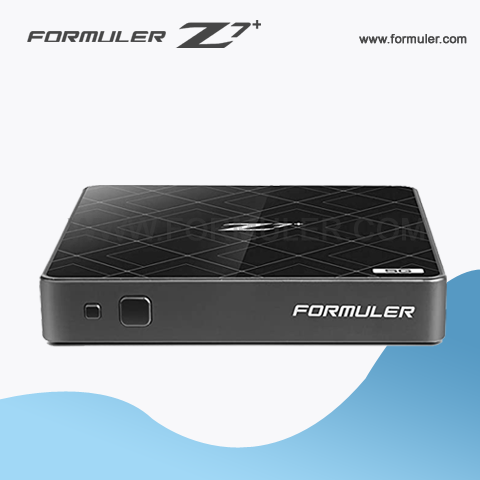
Formuler Z7+ Instructions
- Use the Electronic Program Guide (EPG) The EPG is a useful feature that allows you to see what's currently playing on a channel, as well as what's coming up. To access the EPG, simply press the EPG button on your remote control while watching live TV. You can use the arrow keys to navigate through the guide and select a program to watch.
- Add and Manage Favorites You can add your favorite channels to the Favorites list for quick and easy access. To add a channel to the Favorites list, simply navigate to the channel and press the FAV button on your remote control. To manage your Favorites list, go to Settings > TV > Channel Manager > Favorites.
- Record Live TV The Formuler Z7 Plus allows you to record live TV to watch later. To record a program, simply press the REC button on your remote control while watching live TV. You can also schedule a recording by selecting the program in the EPG and pressing the REC button.
- Use Time-Shift TV Time-Shift TV is a feature that allows you to pause, rewind, and fast-forward live TV. To use this feature, simply press the Pause button on your remote control while watching live TV. You can then use the arrow keys to rewind or fast-forward through the program.
- Use External Storage You can connect external storage devices, such as USB flash drives or external hard drives, to the Formuler Z7 Plus to expand your storage capacity. To use external storage, simply connect the device to the USB port on the back of the set-top box. You can then access the external storage through the File Browser app.
- Install and Use Third-Party Apps The Formuler Z7 Plus supports third-party apps, allowing you to customize your streaming experience. To install third-party apps, go to the Google Play Store app on the home screen and search for the app you want to install. Once installed, you can access the app through the MyApps app on the home screen.
- Use the Remote Control App The Formuler Z7 Plus also comes with a remote control app that allows you to control the set-top box using your smartphone or tablet. To use the remote control app, download and install the MyTVOnline Remote Control app from the Google Play Store or the App Store. Once installed, connect your smartphone or tablet to the same Wi-Fi network as the Formuler Z7 Plus and follow the instructions to pair the devices.
We hope these additional instructions help you get the most out of your Formuler Z7 Plus!
Related Products
- 0 Comment(s)




Recent Posts




