
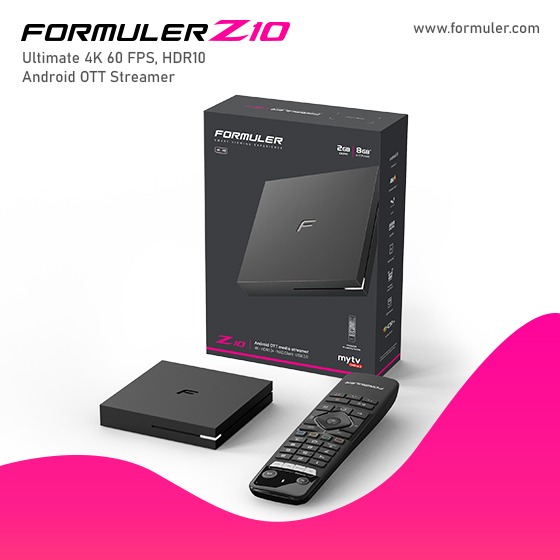
Formuler Z10 Pro Channel List, Lineup, and Guide in 2K23

A channel guide, also known as an electronic program guide (EPG), is a feature available on most digital television platforms and devices. It displays a list of channels along with their corresponding programming schedules. Users can use the channel guide to navigate through available channels, view program descriptions, and plan their viewing accordingly.
To access the channel guide on the Formuler Z10 Pro, you can usually follow these steps:
- Turn on your Formuler Z10 Pro and ensure that it is connected to your television and the internet.
- Locate and open the main menu or settings menu on your device. This can typically be accessed through an on-screen display or a dedicated button on the remote control.
- Look for an option related to "Channels," "TV Guide," or "EPG" in the menu. It may be listed under the "Settings" or "Preferences" section.
- Select the "Channels," "TV Guide," or "EPG" option to open the channel guide.
- Once the channel guide is open, you should see a list of available channels and their programming schedules. You can use the arrow keys or navigation buttons on your remote control to scroll through the guide and select a specific channel or program.
The Formuler Z10 Pro is an advanced IPTV (Internet Protocol Television) set-top box that offers a wide range of features and content options. With the Formuler Z10 Pro, users can access and enjoy various types of content, including:
- Live TV: The device allows you to stream live television channels from around the world. You can access a vast selection of channels, including news, sports, entertainment, and more.
- Video-on-Demand (VOD): The Formuler Z10 Pro provides access to on-demand content, allowing you to watch movies, TV shows, and other videos at your convenience. You can browse through a library of movies and TV series, select your desired content, and enjoy it instantly.
- IPTV Subscriptions: The device supports IPTV subscriptions, which give you access to a wide range of TV channels, both local and international. These subscriptions provide an extensive selection of content across various genres, including movies, TV shows, documentaries, sports, and more.
- Catch-Up TV: The Formuler Z10 Pro supports Catch-Up TV, allowing you to watch previously aired TV shows and programs at a later time. This feature is especially useful if you miss a live broadcast and want to catch up on the content you missed.
- Apps and Streaming Services: The device supports various apps and streaming services, such as Netflix, YouTube, Amazon Prime Video, and more. You can download and install these apps directly on the Formuler Z10 Pro to access their respective content libraries.
- Multimedia Playback: The Formuler Z10 Pro can play various multimedia formats, including videos, music, and photos. You can connect external storage devices or access content from a networked source to enjoy your personal media collection on your TV.
- EPG (Electronic Program Guide): The device provides an EPG, which is an on-screen guide that displays information about current and upcoming TV programs. It helps you navigate through the available content, view program schedules, and set reminders for your favorite shows.
- Time-Shift: The Formuler Z10 Pro supports time-shifting, allowing you to pause, rewind, and fast-forward live TV programs. This feature enables you to control your viewing experience and never miss a moment of your favorite shows.
- Customization Options: The device offers customization options, such as personalized channel lists, parental controls, and preferred settings. You can tailor the Formuler Z10 Pro according to your preferences, ensuring a personalized and user-friendly experience.

Related Products
- 0 Comment(s)




Recent Posts




