
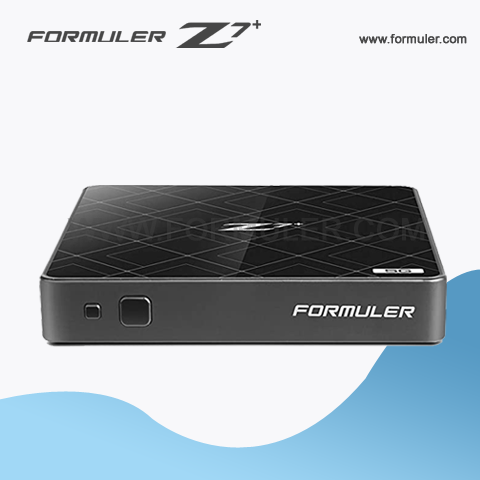
Formuler Z7 Plus Network Setup
The Formuler Z7 Plus is a popular IPTV set-top box that allows users to stream their favorite TV shows and movies from various sources. To get started, you will need to set up your network connection on the device. Here is a step-by-step guide to help you with the Formuler Z7 Plus network setup process:
- Connect the Formuler Z7 Plus to your TV via an HDMI cable and plug it in.
- Turn on your TV and select the appropriate HDMI input that the Formuler Z7 Plus is connected to.
- Press the home button on the remote control to access the main menu.
- Select the settings icon and go to the Network & Wi-Fi section.
- In the Network & Wi-Fi section, select Wired or Wi-Fi, depending on how you want to connect your device to the internet.
- If you choose Wired, simply connect an Ethernet cable from your router or modem to the Ethernet port on the Formuler Z7 Plus.
- If you choose Wi-Fi, select Wi-Fi and then select your Wi-Fi network from the list of available networks.
- Enter your Wi-Fi network password if prompted and click connect.
- Once your device is connected to the internet, you can start streaming your favorite TV shows and movies.
It's important to note that a stable and reliable internet connection is essential for smooth streaming. If you experience any buffering or lag while streaming, consider upgrading your internet plan or optimizing your network settings.
In conclusion, setting up the network connection on the Formuler Z7 Plus is a simple and straightforward process. Follow the above steps to connect your device to the internet and enjoy endless hours of entertainment.

In addition to the basic network setup, the Formuler Z7 Plus also provides advanced network settings to help you customize your network connection and optimize your streaming experience. Here are some of the advanced network settings that you can access on the device:
- IP Settings: This option allows you to manually set your IP address, subnet mask, default gateway, and DNS servers. You can also choose to obtain these settings automatically from your network provider.
- Proxy Settings: If you use a proxy server to connect to the internet, you can enter the proxy server details in this section.
- VPN Settings: The Formuler Z7 Plus also supports VPN connections. You can enter your VPN credentials and connect to your preferred VPN server to protect your online privacy and access geo-restricted content.
- Network Test: The network test option allows you to test your network speed and stability. You can also run a ping test to check your network latency.
- Network Diagnosis: This option helps you diagnose any network issues that you may encounter while using the Formuler Z7 Plus. You can run a network diagnosis test to check for any connection issues and troubleshoot them.
By accessing these advanced network settings, you can customize your network connection to suit your needs and optimize your streaming experience. However, it's important to note that making changes to these settings without proper knowledge can cause network issues or connection problems. It's always recommended to consult with your network provider or a network specialist if you're unsure about any of these settings.
In conclusion, the Formuler Z7 Plus offers advanced network settings that allow you to customize your network connection and optimize your streaming experience. By accessing these settings, you can ensure a stable and reliable network connection, which is essential for uninterrupted streaming.
Related Products
- Comment(s)




Recent Posts




