
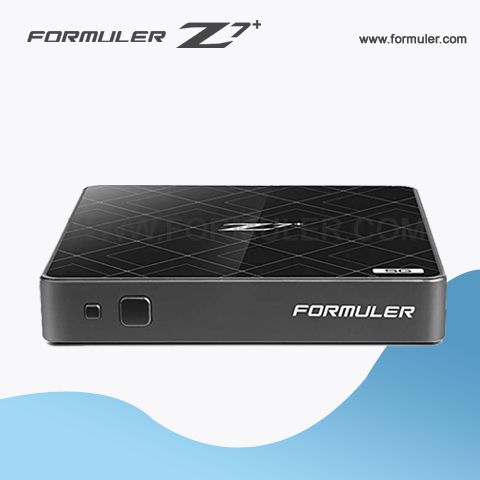
Troubleshooting Formuler Z7 Plus Remote Control Issues and Performing a Factory Reset
If you're experiencing issues with your Formuler Z7 Plus remote control not working, there are several potential solutions to consider. Before you try any troubleshooting steps, make sure the batteries in your remote control are fresh and correctly installed.
If the batteries are fine and the remote control still isn't working, try the following:
- Check the line of sight: Make sure there are no obstructions between the remote control and the Formuler Z7 Plus receiver.
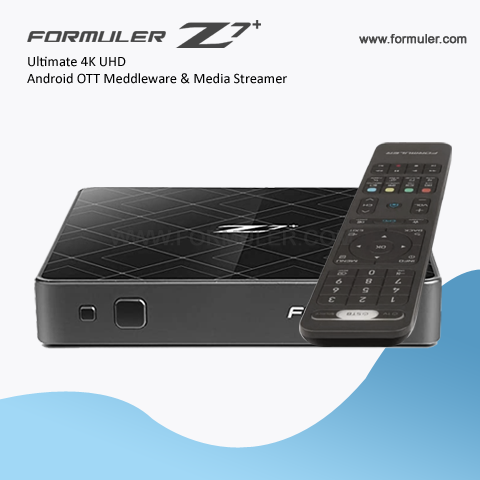
- Pair the remote control: If the remote control has become unpaired with the receiver, it may need to be re-paired. To do this, turn off the receiver, then press and hold the OK button and the power button simultaneously on the remote control until the LED light on the remote control flashes.
- Reset the remote control: If the previous step doesn't work, you can try resetting the remote control. To do this, remove the batteries from the remote control, then press and hold any button on the remote control for 10 seconds. After 10 seconds, replace the batteries and try using the remote control again.
If none of the above steps work, you may need to reset the Formuler Z7 Plus receiver to its factory settings. This can be done by following these steps:
- Turn off the receiver.
- Press and hold the power button on the receiver.
- While holding the power button, press and release the reset button on the back of the receiver.
- Keep holding the power button until the message "Updating" appears on the display.
- The receiver will now reset to its factory settings.
Once the reset is complete, you'll need to set up the Formuler Z7 Plus receiver again from scratch. This includes setting up your internet connection, configuring your settings, and reinstalling any apps or add-ons you were using previously.
Formuler Z7+ Remote Control Issues & Factory Reset
If you've reset the Formuler Z7 Plus receiver to its factory settings and the remote control still isn't working, there may be an issue with the remote control itself. In this case, you may need to replace the remote control.
To purchase a new remote control, you can contact the manufacturer or check online retailers. Make sure you buy a genuine Formuler Z7 Plus remote control to ensure compatibility and avoid any issues.
If you've tried all of the troubleshooting steps and the remote control still isn't working, it's possible that there's a hardware issue with the receiver. In this case, you may need to contact the manufacturer or a professional repair service for assistance.
It's worth noting that resetting the Formuler Z7 Plus receiver to its factory settings will erase all data and settings stored on the device. This includes any apps, add-ons, and personal preferences you've set up on the receiver. Make sure to back up any important data before performing a factory reset.
If your Formuler Z7 Plus remote control isn't working, there are several troubleshooting steps you can try, including checking the line of sight, pairing the remote control, resetting the remote control, and resetting the receiver to its factory settings. If none of these steps work, you may need to replace the remote control or contact the manufacturer or a repair service for assistance.
Related Products
- Comment(s)




Recent Posts




